
What Are Green Screen Memes?
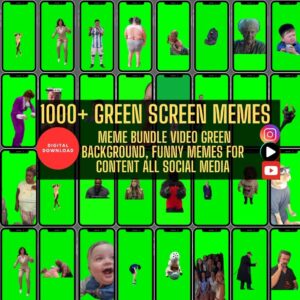
Green screen memes are short, humorous video clips where creators overlay themselves onto various backgrounds, typically using a green screen effect. This allows for imaginative storytelling and instant relatability. In 2025, these memes are more dynamic than ever, blending pop culture, trending audio, and personalized branding.
Why Green Screen Memes Dominate Social Media in 2025
Green screen memes are powerful because they’re visual, immersive, and emotionally engaging. They allow content creators to insert themselves into viral moments or react to trending videos, essentially becoming part of the conversation. With platforms like Instagram and TikTok pushing video-first content, the algorithm loves engagement-heavy formats like this.
Benefits of Using Green Screen Memes in Reels
- 🚀 Higher Engagement: Visual punchlines and rapid-fire humor drive likes, shares, and saves.
- 🎯 Easy Relatability: You can quickly jump on trends or memes that your audience already understands.
- 📈 Boosted Visibility: Platforms reward creativity and trend participation with more reach.
- 🎥 Professional Vibes on a Budget: With free tools, anyone can make a cinematic-style meme.
Tools You Need to Start Creating Green Screen Memes
Best Mobile Apps for Green Screen Editing
| App | Features | Price |
|---|---|---|
| CapCut | Auto-cutout, effects, trending sounds | Free |
| KineMaster | Multi-layer editing | Free w/ watermark |
| Videoleap | AI effects, green screen tools | Freemium |
Recommended Desktop Software
| Software | Pros | Cons |
|---|---|---|
| Adobe Premiere Pro | Advanced controls, pro-level output | Subscription cost |
| Final Cut Pro | Mac-optimized, fast rendering | Expensive |
| DaVinci Resolve | Free version is powerful | Steep learning curve |
Step-by-Step Guide to Making Your First Green Screen Meme
Step 1: Choose a Trending Meme Template
Use resources like Know Your Meme or TikTok’s Discover tab to spot what’s hot right now.
Step 2: Record Your Video
Use a green backdrop or digital cut-out filter. Ensure good lighting and clear audio.
Step 3: Replace the Background
In your editing tool, replace the green screen with your meme background. This could be a viral tweet, a movie scene, or a fake news broadcast.
Step 4: Add Subtitles and Effects
Captions make your content accessible and boost retention. Add sound effects or transitions to increase the comedic effect.
13 Genius Hacks to Maximize Reach with Green Screen Reels
1. Use Trending Audio
Popular sounds can boost your visibility exponentially.
2. Post at Peak Times
Know when your audience is online. Aim for evenings and weekends.
3. Insert Subtle Branding
Slip your logo or tagline into the background. Keeps the meme fun but still promotional.
4. Keep It Short and Punchy
Stick to 15-30 seconds. Reels over a minute rarely perform well unless extremely engaging.
5. Use Emojis Strategically
They catch the eye and convey tone quickly.
6. Tell a Relatable Story
Memes that mirror real-life struggles or common experiences do best.
7. Meme + CTA Combo
End your reel with a question or “follow for more” line.
8. Repurpose on TikTok and Shorts
Don’t limit your reach—post across platforms.
9. Collaborate with Other Creators
Double your audience with collabs.
10. Green Screen Reaction Memes
React to someone else’s video using the green screen feature.
11. Add Humor with Captions
Text commentary adds another layer of funny.
12. Use the Comment Section for Engagement
Pin a funny comment or ask a question to get replies.
13. Use AI to Create Memes Faster
Tools like Canva, Runway ML, or VEED.io speed up content creation.
Common Mistakes to Avoid When Using Green Screen Memes
- ❌ Using copyrighted images or music
- ❌ Forgetting subtitles
- ❌ Poor audio or lighting
- ❌ Over-editing (less is more)
- ❌ Missing the trend timing
Optimizing Your Green Screen Reels for SEO
Using Hashtags and Descriptions
Use keywords like #greenscreen, #funnyreels2025, #memevideos, and niche-specific tags.
Cross-Linking Your Content
Link your reel to related content in your bio or Stories to keep the viewer journey going.
Advanced Editing Tips for Pro-Level Memes
- Add zoom-ins for emphasis
- Use sound effects at punchlines
- Insert animated emojis or visual gags
- Layer with GIFs or image overlays
External Resources and Communities for Meme Creators
- Reddit: r/MemeCreators
- Facebook Groups: Viral Video Creators
- Tools: Runway ML, VEED.io, Canva Meme Generator
FAQs
1. What’s the best app for creating green screen memes on mobile?
CapCut is highly recommended for its ease of use and free green screen features.
2. How long should a green screen meme reel be?
Aim for 15–30 seconds to maximize watch time and engagement.
3. Do I need a physical green screen to make these memes?
Nope! Most apps like CapCut and TikTok have digital cut-out features.
4. Can I monetize green screen meme reels?
Yes, if you include subtle branding, link products/services, or get brand sponsorships.
5. How often should I post these memes?
Consistency matters—aim for 3–5 times a week.
6. How do I avoid copyright issues with green screen memes?
Use royalty-free music or audio from platform libraries and ensure meme images fall under fair use or are custom-made.
Conclusion
Green screen memes are more than just a passing trend—they’re a digital marketing superpower in 2025. Whether you’re a business, influencer, or just meme-obsessed, incorporating this strategy into your content plan can give you the viral edge you need. With the right tools, creativity, and a dash of humor, your Reels can take off in no time.